
Welcome to SEOMate! This quick start guide will walk you through the essential steps to create your first SEO-optimized content. In just 5 minutes, you'll have everything set up and ready to generate high-quality articles for your website.
Step 1: Create Your Account and Start Content Creation
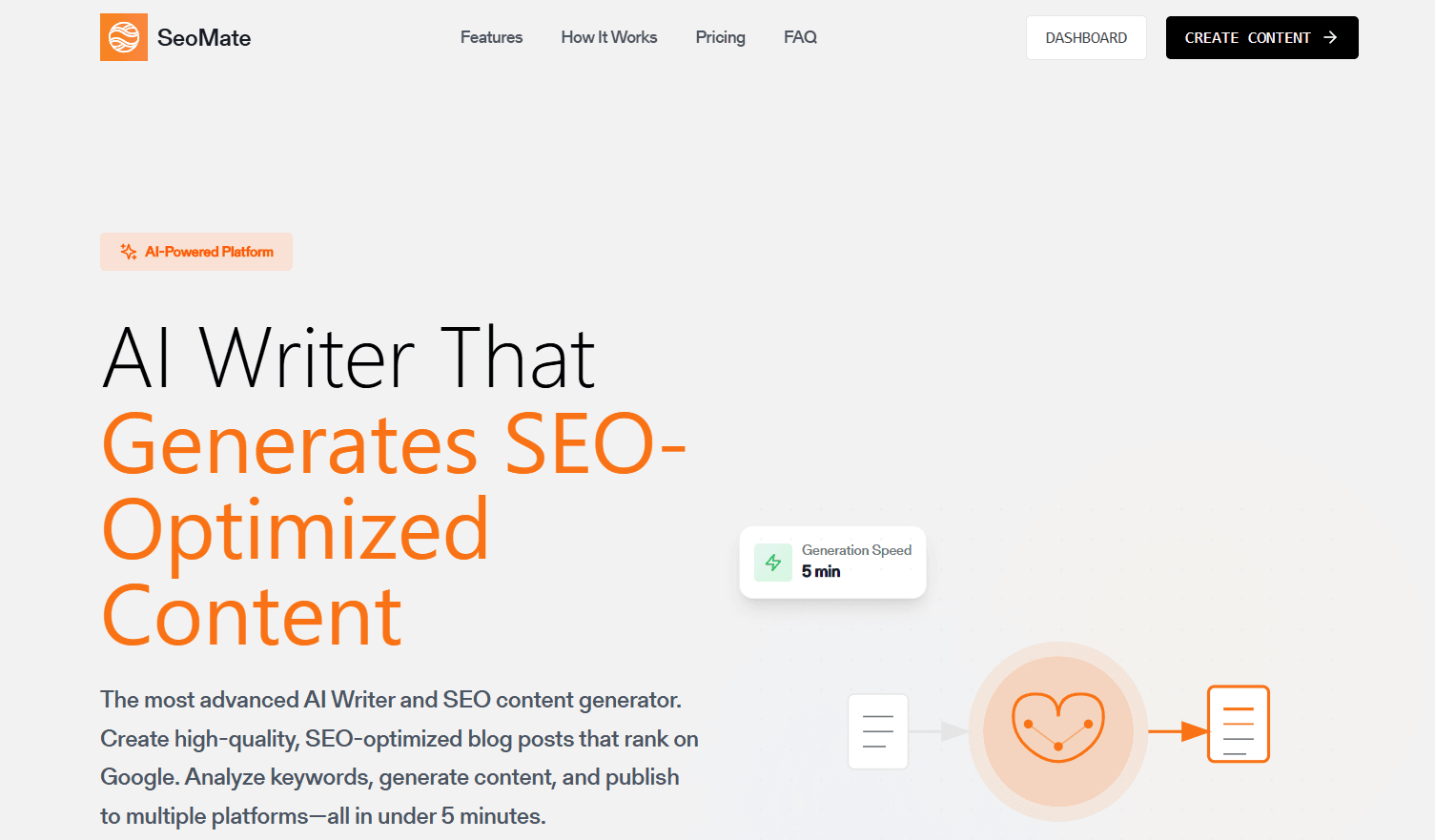
First, you'll need to sign up for a SEOMate account. Once you're logged in, click the "Create Content" button to begin your first article generation.
💡 Pro Tip
Make sure to verify your email address after signing up to unlock all features and ensure you receive important updates about your content generation.
Step 2: Enter Your Website URL

Next, you'll be prompted to enter your website URL. This helps our AI understand your site's context and generate content that aligns with your brand and industry.
Simply paste your website's main URL into the input field. Our AI will automatically crawl and analyze your site to understand your business, industry, and content style.
Step 3: AI Auto-Generates Website Information
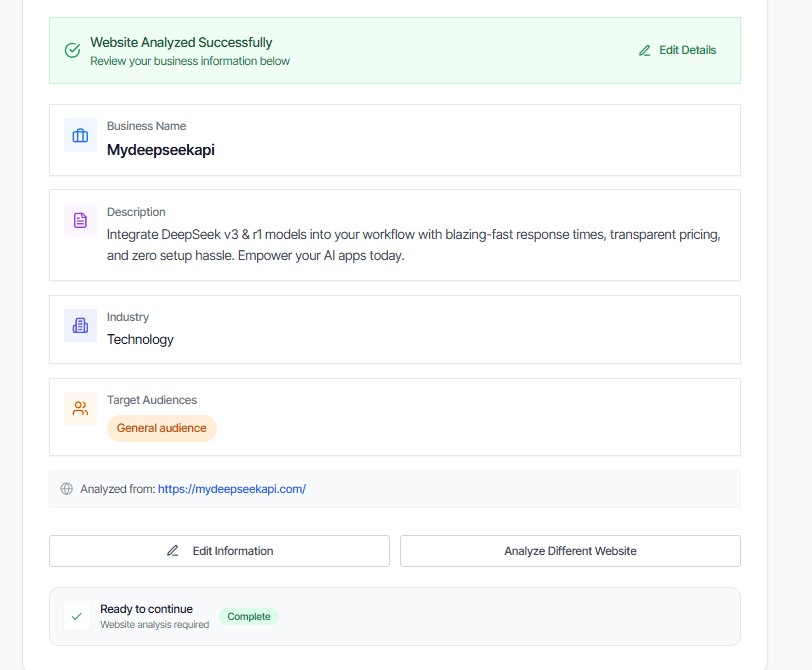
Once you've entered your URL, our AI will automatically analyze your website and extract key information including:
- Business description and industry
- Target audience and demographics
- Content style and tone
- Key topics and themes
- Competitor analysis
This automated analysis ensures that all generated content will be relevant to your business and resonate with your target audience.
Step 4: Configure Blog Settings
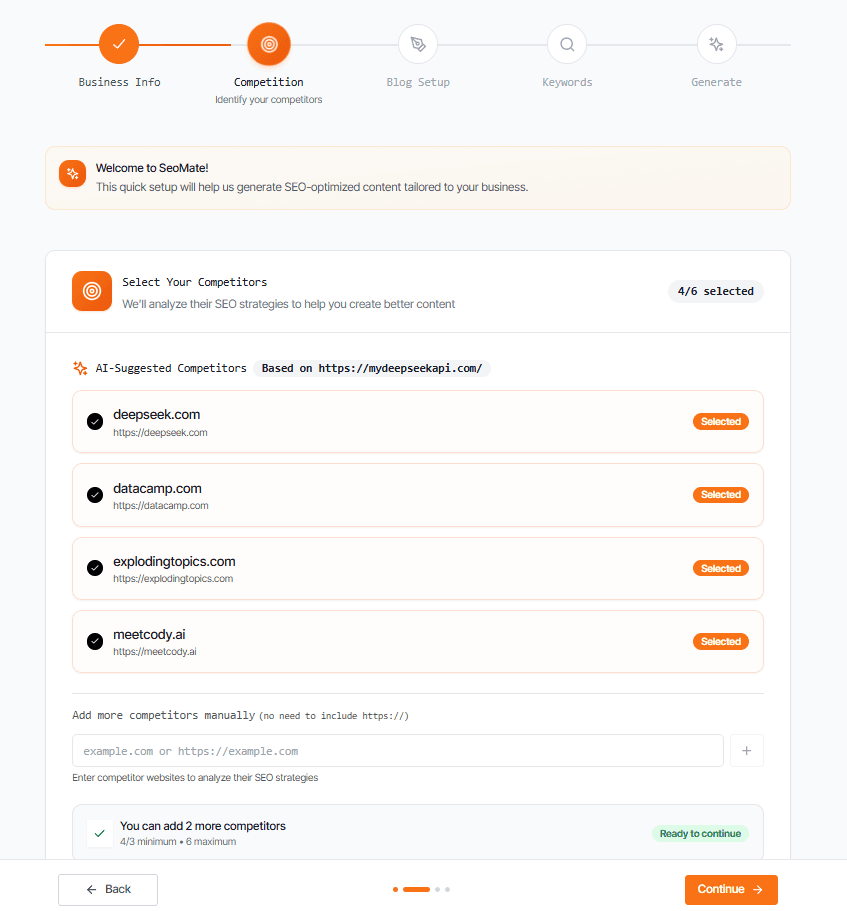
Now you'll need to provide some additional information about your blog setup:
- Blog Root Domain URL: The main URL where your blog is hosted
- Sitemap URL: Your XML sitemap location (usually yoursite.com/sitemap.xml)
⚠️ Important Note
Make sure your sitemap URL is accessible and up-to-date. This helps our AI understand your existing content structure and avoid duplicate topics.
Step 5: Keyword Selection and Optimization
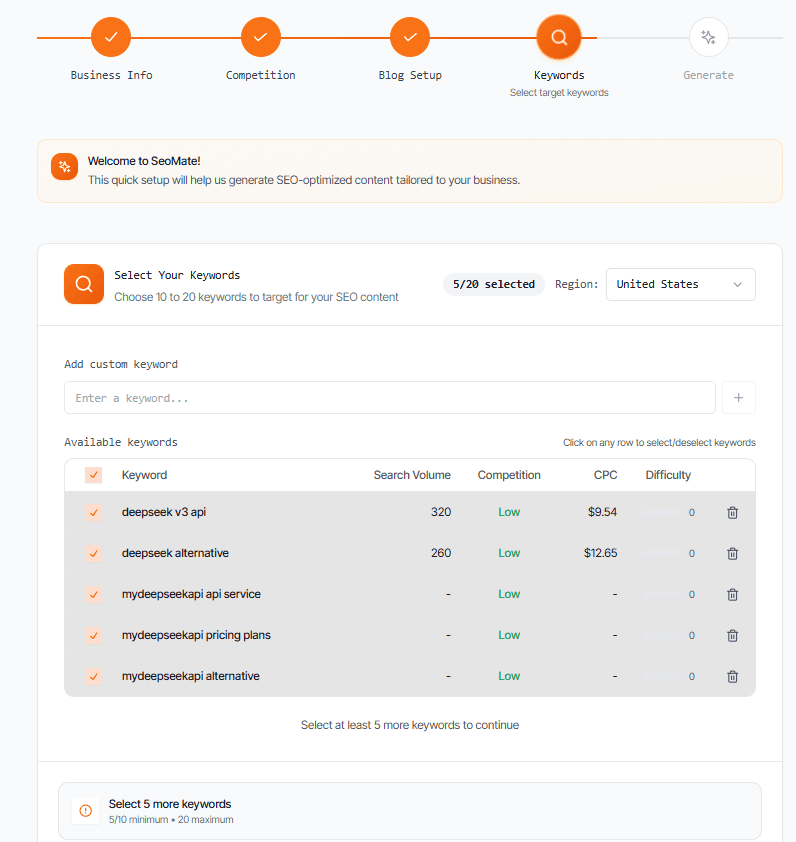
Based on your website analysis, our AI will automatically generate relevant keywords that align with your business and have good SEO potential. You can review and select the keywords that best match your content strategy.
The keyword selection interface shows:
- Search Volume: Monthly search traffic potential
- Competition Level: How difficult it is to rank
- Relevance Score: How well it matches your business
- Content Opportunities: Suggested article angles
✅ Best Practice
Start with 3-5 keywords that have medium competition and high relevance. You can always add more keywords later as your content library grows.
Step 6: Content Generation in Progress

Once you've selected your keywords, our AI will begin generating your first article. The process typically takes 2-5 minutes depending on the content length and complexity.
During generation, our AI is:
- Researching the topic thoroughly
- Creating an SEO-optimized outline
- Writing engaging, original content
- Optimizing for your selected keywords
- Adding internal linking opportunities
- Generating meta descriptions and titles
What Happens Next?
Once your first article is generated, you'll be able to:
📝 Review & Edit
Review the generated content, make any necessary edits, and customize it to match your brand voice perfectly.
🚀 Publish
Publish directly to your CMS or export the content in your preferred format.
📊 Track Performance
Monitor your content's SEO performance and see how it ranks for your target keywords.
🔄 Scale Up
Generate more content using our bulk generation features to build a comprehensive content library.
Need Help Getting Started?
If you encounter any issues during setup or have questions about the content generation process, our support team is here to help. You can also explore our detailed documentation for advanced features and best practices.
🎯 Quick Start Checklist
Conclusion
Congratulations! You've successfully set up SEOMate and generated your first piece of SEO-optimized content. This is just the beginning of your content creation journey. With SEOMate's powerful AI tools, you can now scale your content production while maintaining high quality and SEO optimization.
Remember, great content is the foundation of successful SEO. Use the insights and tools provided by SEOMate to create content that not only ranks well but also provides genuine value to your audience.